
A place for ideas, before they become work.
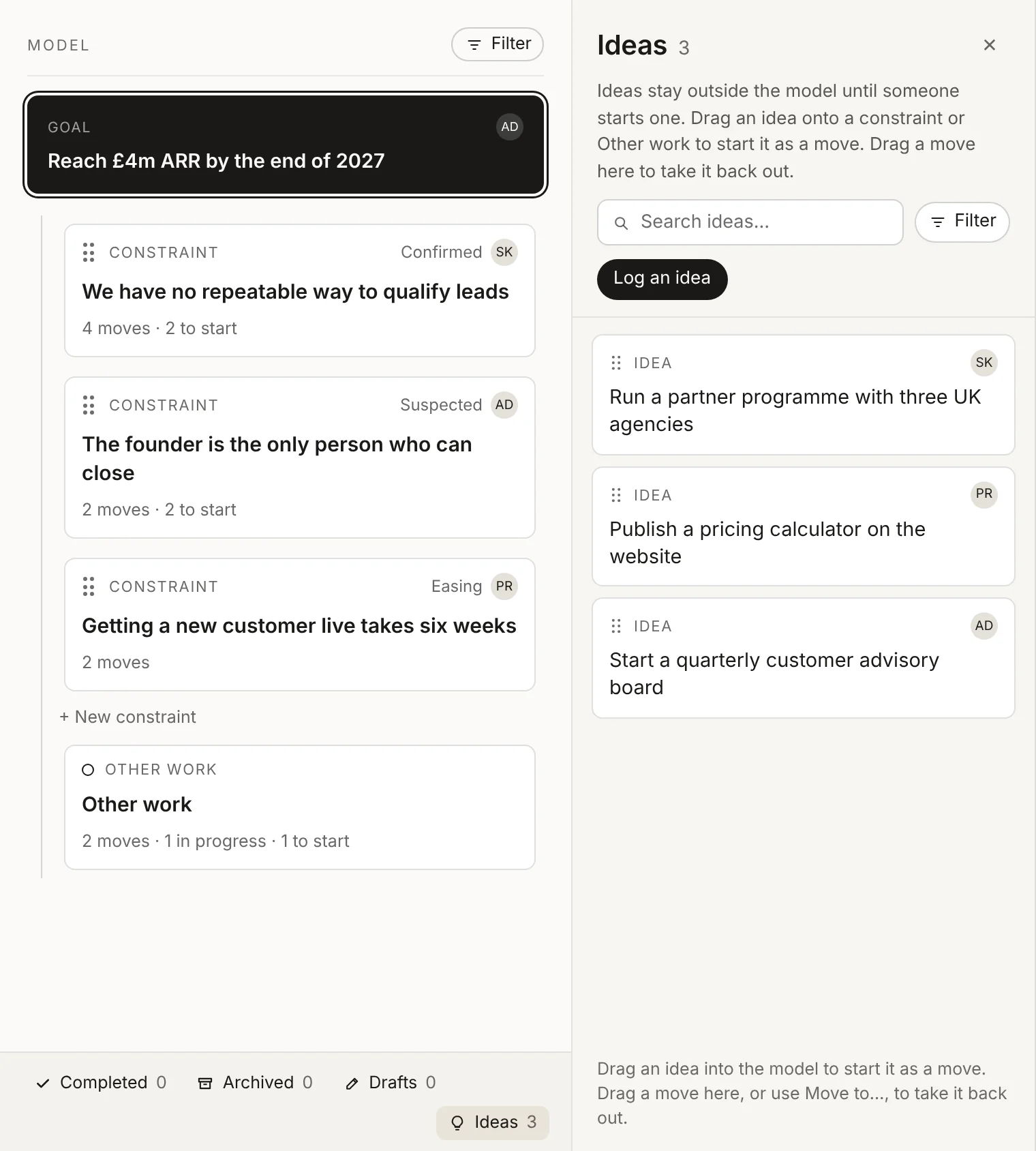
Not every good idea belongs in the plan yet. The Ideas panel keeps them beside the model, outside the plan, where anyone can log one, AJ can spot where it fits, and your team can start it when it’s ready.
Free for up to 3 people. No card needed.
How it works.
Log an idea in a sentence.
Open Ideas from the link under the model and click Log an idea. AJ asks what it is, why it would help and what makes you think so, then writes it up. Anyone can log one, Viewers included, so the board and advisers can add theirs too.
AJ spots the fit.
When an idea clearly fits one of your constraints, AJ says so on the idea’s card, with Add it there. AJ’s view is a guide, never a gate: you decide where it goes.
Start it when it’s ready.
To start an idea, drag it onto a constraint or Other work, or use Move to…. It becomes a move to start, with the same title, and leaves the Ideas panel.
Kept out of the plan on purpose.
Ideas don’t count towards the goal and don’t crowd the model, so the plan stays honest about what’s really being worked on. Ideas you set aside go to Archived, and you can restore them whenever you like.
Why teams keep ideas here.
-
Nothing gets lost.
Ideas from Slack threads, meetings and walks home have one place to live.
-
The plan stays focused.
The model holds what you’re doing. Ideas holds what you might do.
-
Everyone can contribute.
Viewers can log ideas too, without being able to change the plan.
-
Easy to act on.
One drag turns an idea into a move, under the constraint it helps.
Learn more in the docs.
Short how-to guides, most with a video.
Questions.
Who can log an idea?
Everyone in the organisation, including Viewers.
Do ideas count towards the goal?
No, not until someone starts one. Then it becomes a move under a constraint or in Other work, and counts like any other move.
What happens to ideas we don’t use?
Set them aside and they go to Archived. AJ ignores what’s archived, and you can restore an idea at any time.
Still have a question? Get in touch.
More features.
- The model Your goal, what’s holding it back and the moves to clear it, in one view.
- Context area Every goal, constraint and move in detail, with where it stands and why.
- This week from AJ A short brief every Monday: the wins, what moved and what needs you.
- My work What needs you, what’s coming up and everything you own, in one list.
- Workspaces A workspace for each goal, team or department, up to 10 per organisation.
- Evidence The facts behind every item, saved from each update with who said it and when.
- Notifications One short summary email on the mornings you choose, not one per change.
Set your destination. Clearahead gets you there.
Free for up to 3 people. No card needed.